Laptop purchase update - MacBook won me over
In case you missed it: Some context
About a year ago, I posted about upgrading my aging personal laptop. I debated between Windows laptops and MacBooks, with no outright winner. Furthermore, in the Windows camp, there was contention between AMD and Nvidia for the GPU, especially given recent developments from both companies.
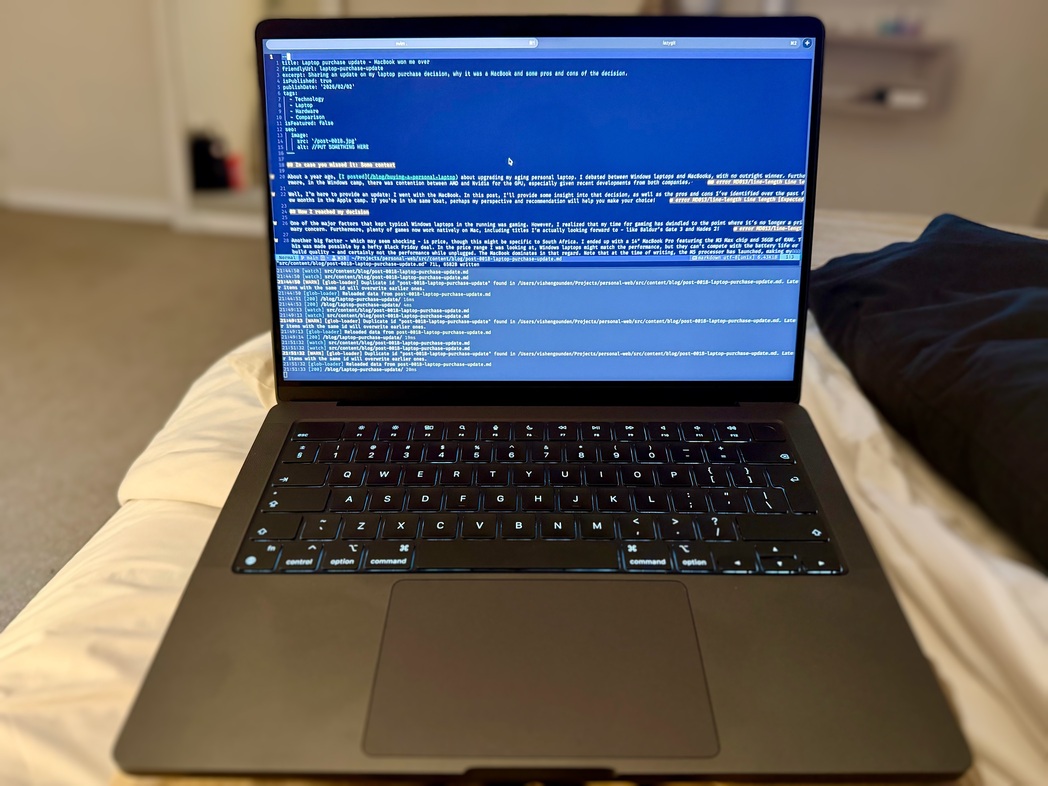
Well, I’m here to provide an update: I went with the MacBook. In this post, I’ll provide some insight into that decision, as well as the pros and cons I’ve identified over the past few months in the Apple camp. If you’re in the same boat, perhaps my perspective and recommendation will help you make your choice!
How I reached my decision
One of the major factors that kept typical Windows laptops in the running was gaming. However, I realized that my time for gaming has dwindled to the point where it’s no longer a primary concern. Furthermore, plenty of games now work natively on Mac, including titles I’m actually looking forward to - like Baldur’s Gate 3 and Hades 2!
Another big factor - which may seem shocking - is price, though this might be specific to South Africa. I ended up with a 14” MacBook Pro featuring the M3 Max chip and 36GB of RAM. This was made possible by a hefty Black Friday deal. In the price range I was looking at, Windows laptops might match the performance, but they can’t compete with the battery life or build quality - and certainly not the performance while unplugged. The MacBook dominates in that regard. Note that at the time of writing, the M5 processor has launched, making my model two generations old.
Lastly, there was another South African concern: support. A top contender for me was the ASUS Zephyrus G14 or G16. However, researching the matter revealed that support for ASUS hardware in this country can be… troublesome at best. This may just be noise from a minority who had unfortunate experiences, but with such a large purchase, it definitely swayed my decision. Apple support may not be perfect, but it is reportedly more reliable locally.
What I like about it
Now, let’s talk about what I really enjoy about this MacBook.
Performance and Battery
It will come as no surprise to anyone who has researched laptops recently: the performance and battery life of MacBooks since the launch of Apple Silicon have been nothing short of excellent. It’s not that Intel or AMD laptops perform poorly; it’s more that they require significantly more power to do so. Typically, they also need to be plugged in to reach their full potential. I’m sure this won’t always be the case - especially with Intel’s recent Panther Lake launch showing promising results - but for now, Mac is hard to beat.
Build Quality
This laptop feels solid. My wife even noted it’s a bit heavy for a 14” laptop, but I believe that’s a fair trade for how well-made it feels. While the keyboard is “just” alright (I am spoiled by excellent mechanical keyboards), the screen and trackpad do not disappoint. This is the first laptop I’ve ever used where I’m happy to leave my mouse behind.
As a software engineering professional
It feels as though most developer tooling is built for Linux first, then Mac, and Windows last. Obviously, this depends on your stack, but it’s hard to argue with the experience when even .NET tooling is excellent on Mac via JetBrains Rider (albeit not a Microsoft product). The one caveat is if you need to work with x86/amd64 containers. While you can still build them on this laptop, expect significantly longer build times.
As a (now) iPhone user
I was an Android user for over 15 years and had never owned an iPhone. However, when my trusty Samsung refused to take a charge last year - and knowing I’d likely be getting a MacBook - I dove into the world of iOS.
I won’t lie: it was a significant adjustment, but it was much easier than I expected. Smartphones these days all do roughly the same things, and most services I pay for are tied to platform-agnostic subscriptions rather than an app store.
The seamless integration with the MacBook was a genuine delight. Simply signing in with my Apple ID and having the laptop automatically connect to my Wi-Fi networks, pair with my Bluetooth devices, and sync my preferences was a pleasant surprise.
What could be better
It’s not all perfect; here is where it falls short.
Software quirks
While the engineering tools are exceptional, macOS itself feels like it’s missing a few pieces. For example, the lack of native keyboard shortcuts for window tiling is frustrating. Having to use the trackpad to hit the green resize button or drag windows manually felt jarring coming from Windows or Linux tiling managers.
Other features feel less “ergonomic,” such as the way clipboard history is handled. To be fair, this starts to feel like nitpicking or simply a matter of needing to adjust to a new OS. I am aware of third-party software that fills these gaps, but I wanted to use the system as designed before modifying it.
Compatibility
I mentioned the trouble with x86 containers, but there are also Windows apps that simply aren’t available on macOS. The largest gap for me is gaming. While the situation is improving, it is still a far cry from Windows or even SteamOS.
It’s also worth highlighting that it feels like more apps come with heftier price tags (or mandatory subscriptions) on macOS than on Windows. This may be a bias based on the specific apps I’ve looked for, but it’s something to note if you’re a lifelong Windows user making the switch.
Recommendation
Overall, I am extremely happy with my purchase and have no regrets. I can work around the cons (especially if I opt for third-party utilities), and the pros truly cater to my workflow. If you are like me - someone whose gaming has taken a back seat and who needs a powerful, well-built laptop with incredible battery life - I highly recommend the MacBook.
Pro tip: Consider going with a previous-generation model. They still perform exceptionally well, receive years of updates, and are often available at a significant discount.